Start with the whole picture.
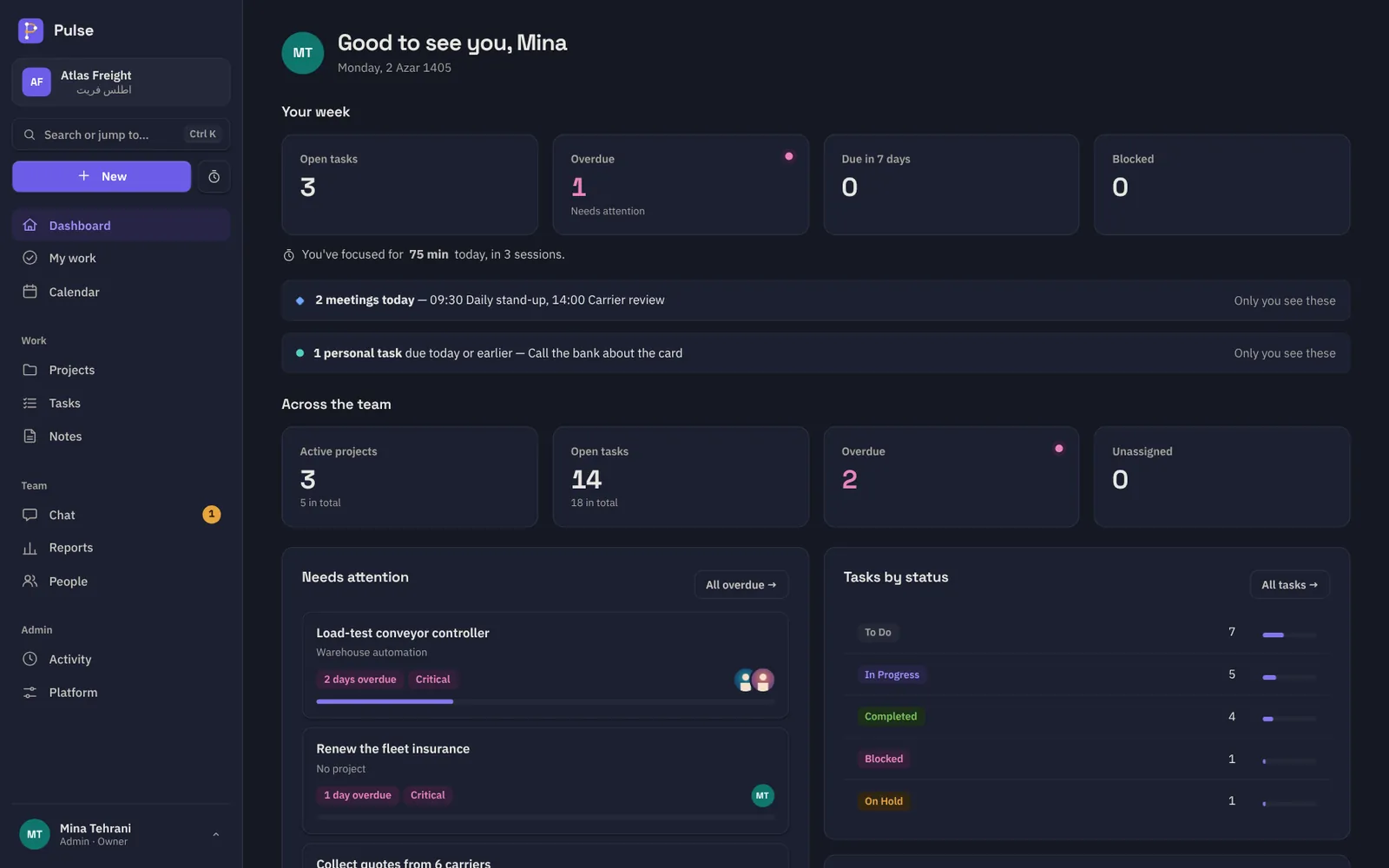
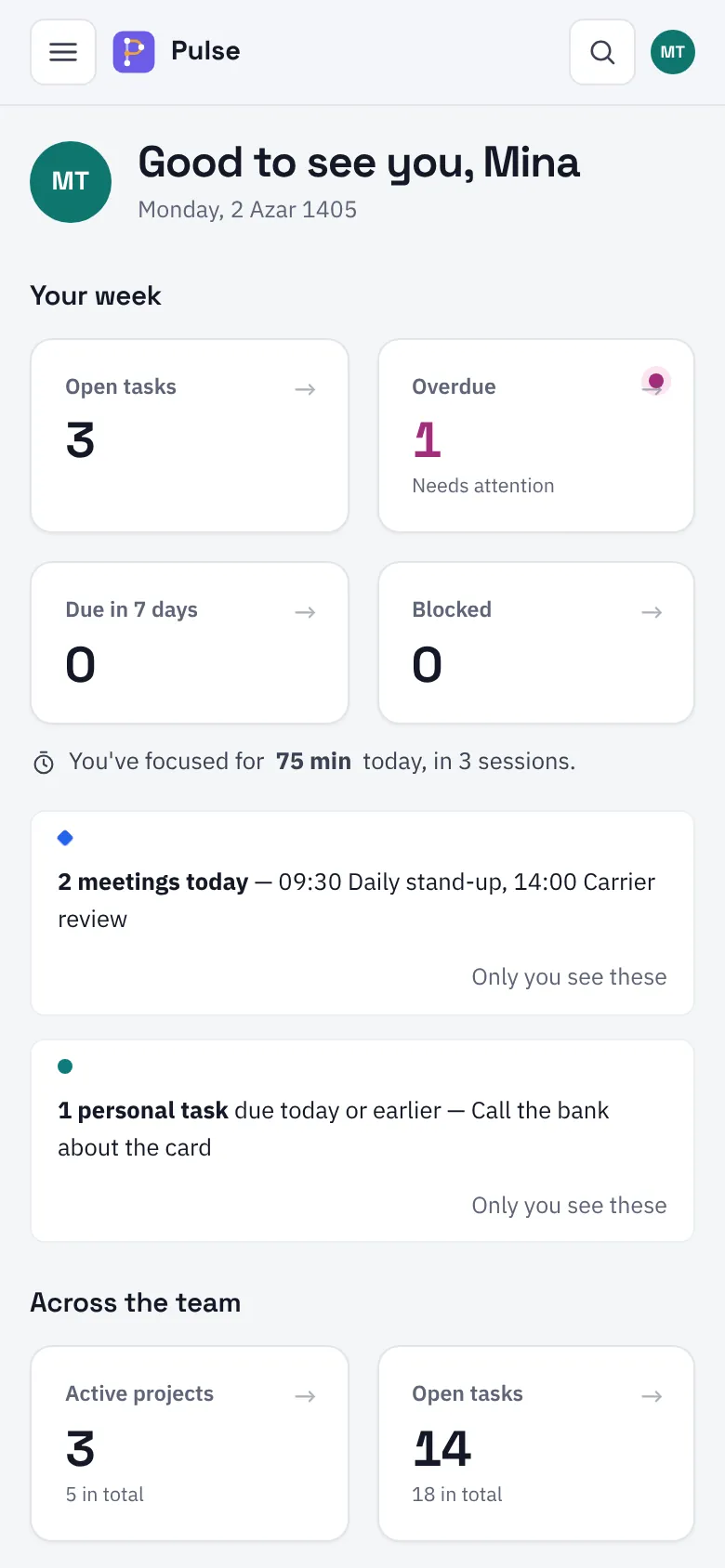
The dashboard shows your week and the team's: what's open, what's overdue, what's blocked, and who has too much. Every card opens the exact list behind it.
Projects, tasks, team chat, calendars and live dashboards — one calm place for every company you run.
This is Pulse.

Everything that's moving, on one screen. Every number is a door — click it and you're there.


The dashboard shows your week and the team's: what's open, what's overdue, what's blocked, and who has too much. Every card opens the exact list behind it.
Projects, tasks, checklists and a drag-and-drop board. Tick the last checklist item and the task completes itself. Progress rolls up to the project.
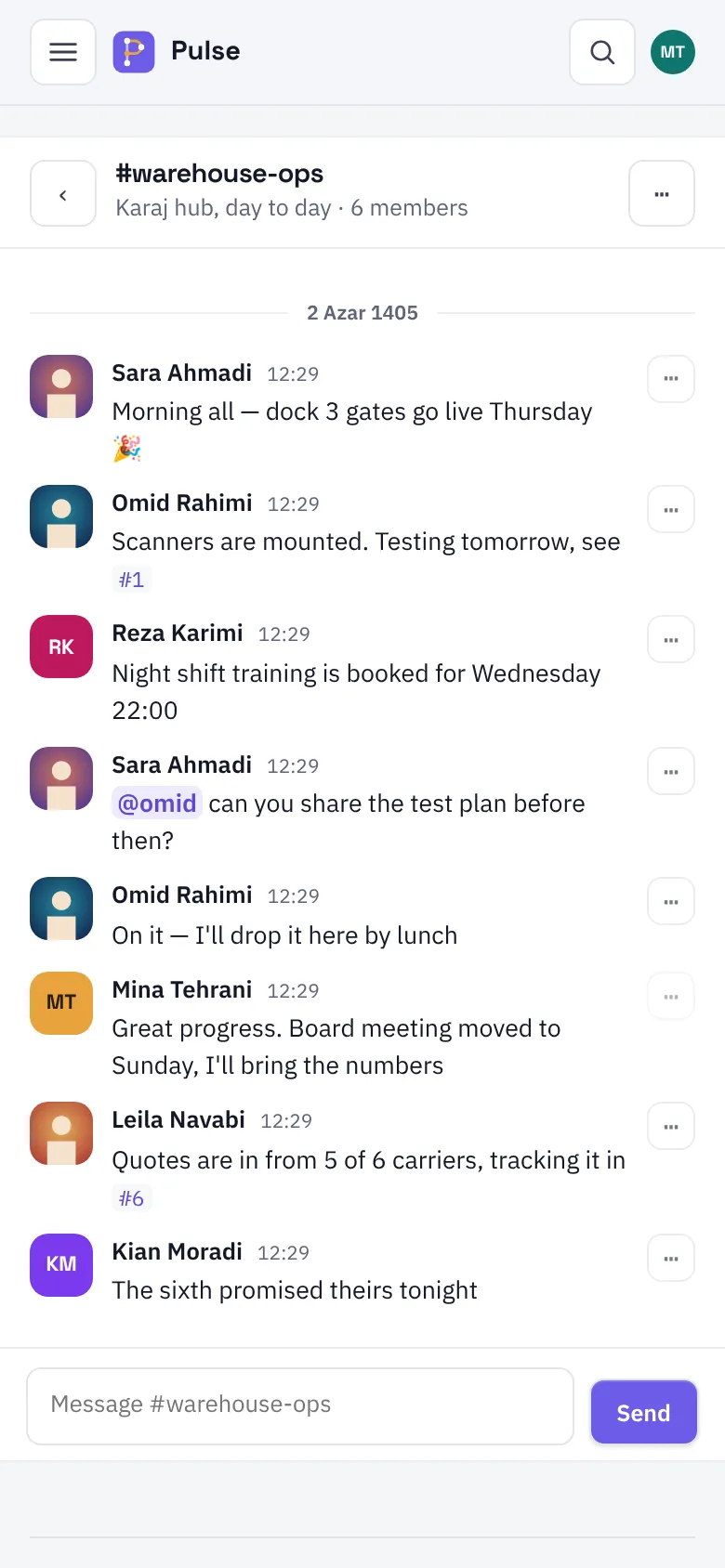
Team chat with channels, private rooms and direct messages. Mention @someone, type #12 and it links the task. Messages arrive live.
A Jalali calendar with your team's deadlines, your personal tasks and the meetings from your Outlook or Google calendar — switch each on or off with one tap.
Personal tasks only you can see — add one in a second with “call the bank friday”. Then start a Focus session: 25 minutes on one task, a break, repeat.
Upload your own dashboards and reports and show them inside Pulse — to everyone, or only to the people you choose. New versions replace the old ones; history is kept.
Add someone and Pulse writes the invitation. Four roles — Admin, Manager, Planner and Viewer — decide who can change what. Edit anyone right in the table.
No more hunting through a messenger for the photo of the delivery note. Pulse chat lives beside your tasks, inside your company, and nowhere else.
Dock 3 scanners go live Thursday
Mounted and wired. Test plan is in #14
wrong chat, sorryThis message was deleted
@omid great work — can we show the board on Sunday?
Already on it 👍
Run several companies from one Pulse, each in its own private workspace. Each one gets its own sign-in page, logo and colour — and their data never meets.


Each company signs in at its own address, with its name and logo on the page.
Nine colours, each tuned for light and dark mode and checked for readable text.
People, projects, chat and files are walled off per company. Nobody sees across.
Light and dark themes that follow your system — or your choice. Drag to compare.
Projects with their own teams, shared tasks, checklists, notes and an activity log of who changed what — so nobody asks “where are we on this?”

Channels, private rooms and DMs that live next to the work.
Separate workspaces, colours and sign-in pages, all from one Pulse.
Show your reports inside Pulse, to everyone or to chosen people.
Every date in the Persian calendar, with Iran's week starting Saturday.
Outlook and Google calendars appear next to your tasks — only you see them.
A private list that sits beside your work, quick to add, easy to tick off.
Pomodoro sessions linked to a task, with a tally of today's focus.
Admin, Manager, Planner, Viewer — each sees and changes only what they should.
Opt in to assignments, mentions and a morning digest. Off by default.
Projects and tasks to CSV, ready for Excel.
Press t for a personal task, f for focus, ? for the rest.
Install Pulse straight from the browser on Android, iPhone, Windows or Mac. It opens in its own window with its own icon, and tells you kindly when you're offline.
Already have an account? Sign in. New here? Ask for access and an administrator will set you up.